Mobile Connectivity
Mint Mobile Rural Coverage: How to Field-Test and Document Signal
A comprehensive guide for rural buyers on how to field-test Mint Mobile's coverage, understand map limitations, and document signal strength effectively.
- Updated
- 2023-10-15
- Reading time
- 12 minutes
TL;DR
Mint Mobile's coverage maps are a starting point for rural users, but field-testing with apps and documenting signal strength is crucial for accurate assessment.
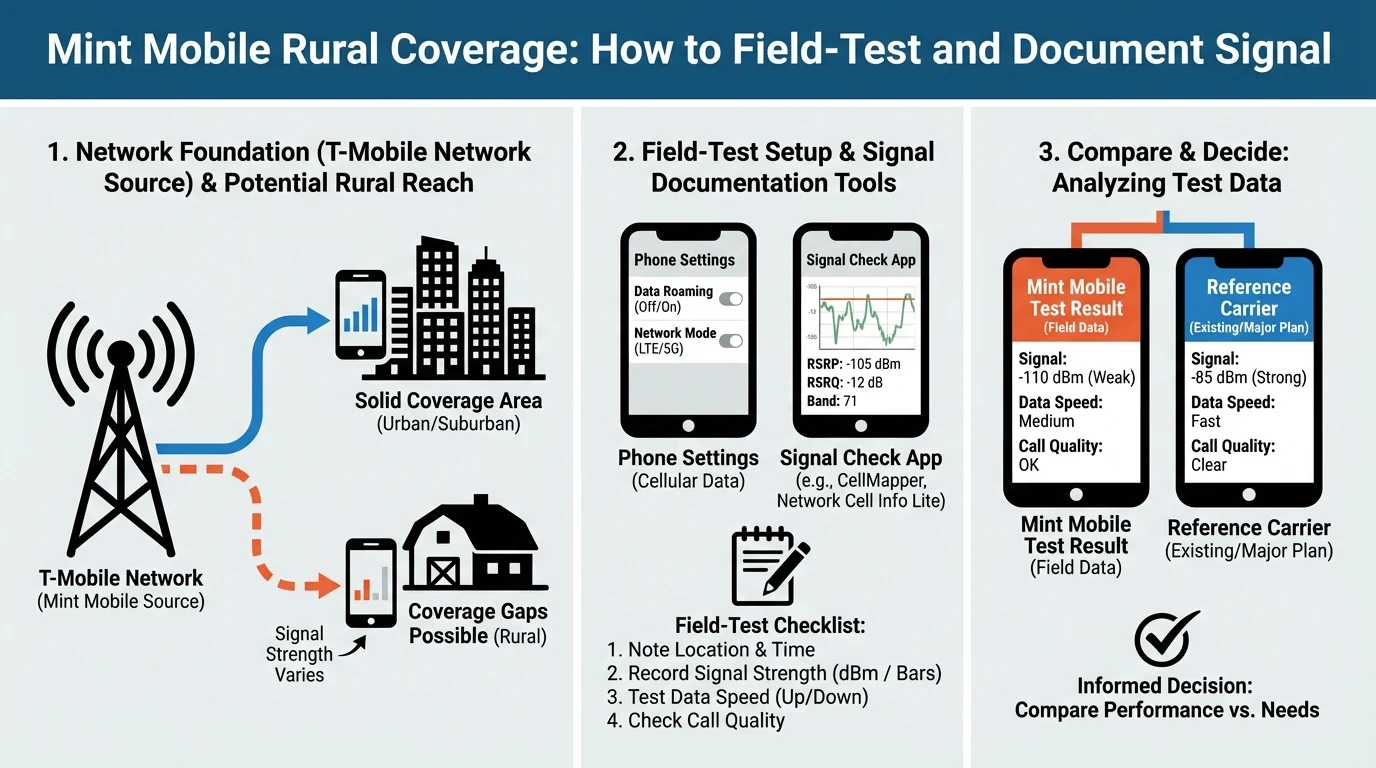
- Mint Mobile relies on T-Mobile's network, which may have rural coverage gaps.
- Official coverage maps can be overly optimistic; field-testing is recommended.
- Use apps to document signal strength and compare indoor vs. outdoor performance.
Understanding Coverage Map Limitations
Mint Mobile's coverage map, accessible at Mint Mobile Coverage Map, is a primary tool for assessing service availability. However, these maps often overestimate coverage, particularly in rural areas where factors like terrain and foliage can impact signal strength.
Why Maps Can Be Misleading
- Predictive Nature: Coverage maps use algorithms based on tower locations, which may not account for real-world obstacles like hills or dense forests.
- Network Congestion: MVNO users, including Mint Mobile, may experience slower speeds during peak times, which maps do not reflect.
- Indoor vs. Outdoor Performance: Maps typically show outdoor coverage, which can differ significantly from indoor signal strength due to building materials and other barriers.
For more detailed insights, consider reading our guide on understanding MVNO coverage.
Field-Testing Signal Strength
To accurately assess Mint Mobile's performance at your location, field-testing is essential. Here's how to conduct effective tests:
Tools and Techniques
- SignalCheck and Coverage? Apps: These apps provide detailed metrics like RSRP (Reference Signal Received Power) and RSSI (Received Signal Strength Indicator), which are crucial for understanding signal quality.
- Documenting Results: Take screenshots of signal readings at various locations, both indoors and outdoors, to compare performance.
Indoor vs. Outdoor Testing
- Outdoor Testing: Focus on areas where you frequently use your phone, such as your yard or driveway.
- Indoor Testing: Test in different rooms, especially those with thick walls or basements, where signal penetration might be weaker.
For more on testing methodologies, see our article on field-testing mobile networks.
Coverage Types and Network Layers
Mint Mobile's network, powered by T-Mobile, includes several layers of coverage:
- 5G Ultra Capacity (UC): Offers the fastest speeds but is primarily available in urban areas.
- 5G Extended Range: Provides broader coverage, including rural areas, but at slower speeds than UC.
- 4G LTE: The most reliable option for rural users, offering extensive coverage.
Identifying Network Layers
Use the coverage map to toggle between different network layers and understand what type of coverage is available in your area. This can help set realistic expectations for performance.
Disclaimer
This article provides general information about Mint Mobile's rural coverage and is not a substitute for professional advice. Coverage and performance can vary significantly based on location and other factors. Always verify details with official sources and conduct personal testing to ensure service meets your needs.
Visual summary
FAQ
Short answers; details are in the article above.
- Mint Mobile's coverage maps provide a general overview but may not accurately reflect real-world performance, especially in rural areas.
- Apps like SignalCheck and Coverage? can help document signal strength and network details.