Privacy & performance
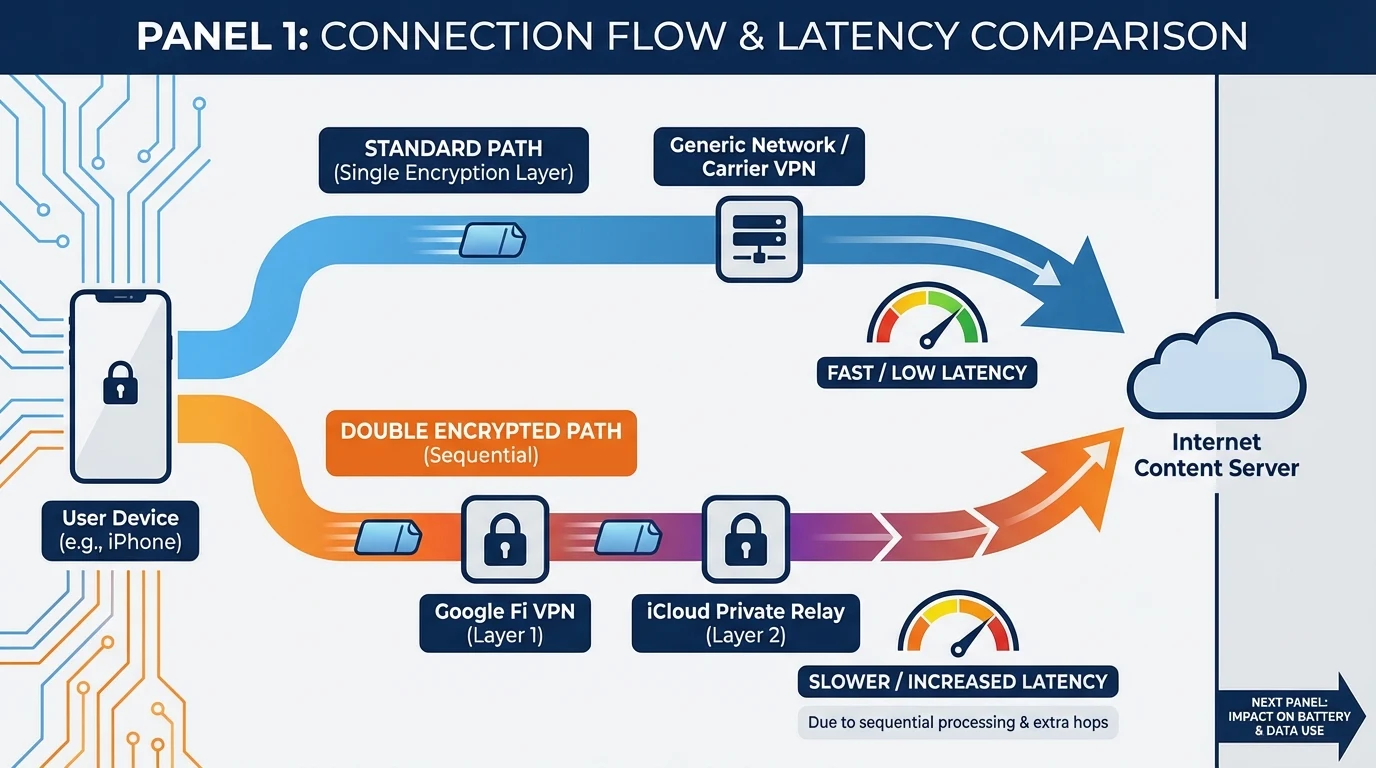
Google Fi VPN Plus iCloud Private Relay: Double Encryption and Slowdown
Explore the implications of using Google Fi VPN alongside iCloud Private Relay, focusing on encryption methods, potential slowdowns, and settings to reduce conflicts for Apple users.
- Updated
- 2023-10-15
- Reading time
- 12 min
TL;DR
Using Google Fi VPN with iCloud Private Relay can lead to double encryption, causing potential slowdowns and battery drain. Understanding their differences and managing settings can help mitigate conflicts.
- Google Fi VPN and iCloud Private Relay use different encryption methods.
- Stacking both can cause significant slowdowns due to double encryption.
- iCloud Private Relay is limited to Safari and select apps, unlike full-device VPNs.
- Adjusting settings can help reduce conflicts and improve performance.
Understanding Encryption Methods
Google Fi VPN vs. iCloud Private Relay
Google Fi VPN and iCloud Private Relay offer different approaches to online privacy and security. While both aim to protect user data, their methods and scopes differ significantly.
- Google Fi VPN: Utilizes a single encrypted tunnel (e.g., WireGuard) to secure all device traffic. This method ensures that all data, including apps and browsers, is encrypted end-to-end.
- iCloud Private Relay: Employs a dual-relay proxy system with TLS 1.3 over QUIC. It encrypts Safari and select app traffic, splitting knowledge between Apple and a third-party relay provider.
| Aspect | Google Fi VPN | iCloud Private Relay |
|---|---|---|
| Encryption Protocol | WireGuard | TLS 1.3/QUIC |
| Scope | All device traffic | Safari and select apps |
| Provider Knowledge | Sees IP and destination | Split between Apple and third-party |
For more on VPNs, see our guide on choosing the right VPN.
Performance Impact and Slowdowns
Double Encryption and Latency
Using both Google Fi VPN and iCloud Private Relay can lead to double encryption, which often results in increased latency and slower internet speeds. This is due to the added overhead of encrypting and decrypting data twice, as well as the sequential hops involved in the relay process.
- Latency Increase: Users may experience a 20-50% reduction in speed, though exact metrics for the combination of Fi VPN and Private Relay are not well-documented.
- Battery Drain: Continuous encryption processes can also lead to increased battery consumption, especially on cellular networks.
To learn more about managing VPN settings, check out our VPN setup guide.
Managing Conflicts and Settings
Reducing Slowdowns and Conflicts
To minimize conflicts and improve performance when using both services, consider the following settings adjustments:
- Disable iCloud Private Relay for Non-Safari Apps: Since Private Relay is limited to Safari, disabling it for other apps can prevent unnecessary conflicts.
- Limit IP Address Tracking: Adjust settings in Wi-Fi and Cellular options to manage how your IP is handled.
- Monitor Battery Usage: Keep an eye on battery consumption and adjust settings as needed to conserve power.
For detailed steps, refer to our guide on optimizing mobile settings.
FAQ
How does iCloud Private Relay differ from a traditional VPN?
iCloud Private Relay uses a dual-relay proxy system, focusing on privacy by splitting knowledge between Apple and a third-party provider. Unlike traditional VPNs, it does not provide full-device encryption.
Can I use both Google Fi VPN and iCloud Private Relay without slowdowns?
While it is possible to use both, double encryption can lead to slowdowns. Adjusting settings and monitoring performance can help mitigate these effects.
Disclaimer
This article is for informational purposes only. Always verify settings and compatibility with official sources such as Google Fi Help and Apple Support before making changes to your device.
Visual summary