Troubleshooting
Xfinity Mobile Weak Signal and Slow Data: Troubleshooting for Verizon-Based MVNO Users
Explore troubleshooting steps for weak signal and slow data issues on Xfinity Mobile, a Verizon-based MVNO. Learn about device settings, network selection, WiFi calling, and more.
- Updated
- 2026-04-16
- Reading time
- 12 min
TL;DR
Xfinity Mobile users experiencing weak signals or slow data can troubleshoot by checking device settings, using WiFi calling, and understanding network deprioritization.
- Check device settings and network selection for optimal performance.
- Utilize WiFi calling to improve indoor signal quality.
- Understand the impact of network deprioritization during congestion.
Understanding Xfinity Mobile's Network
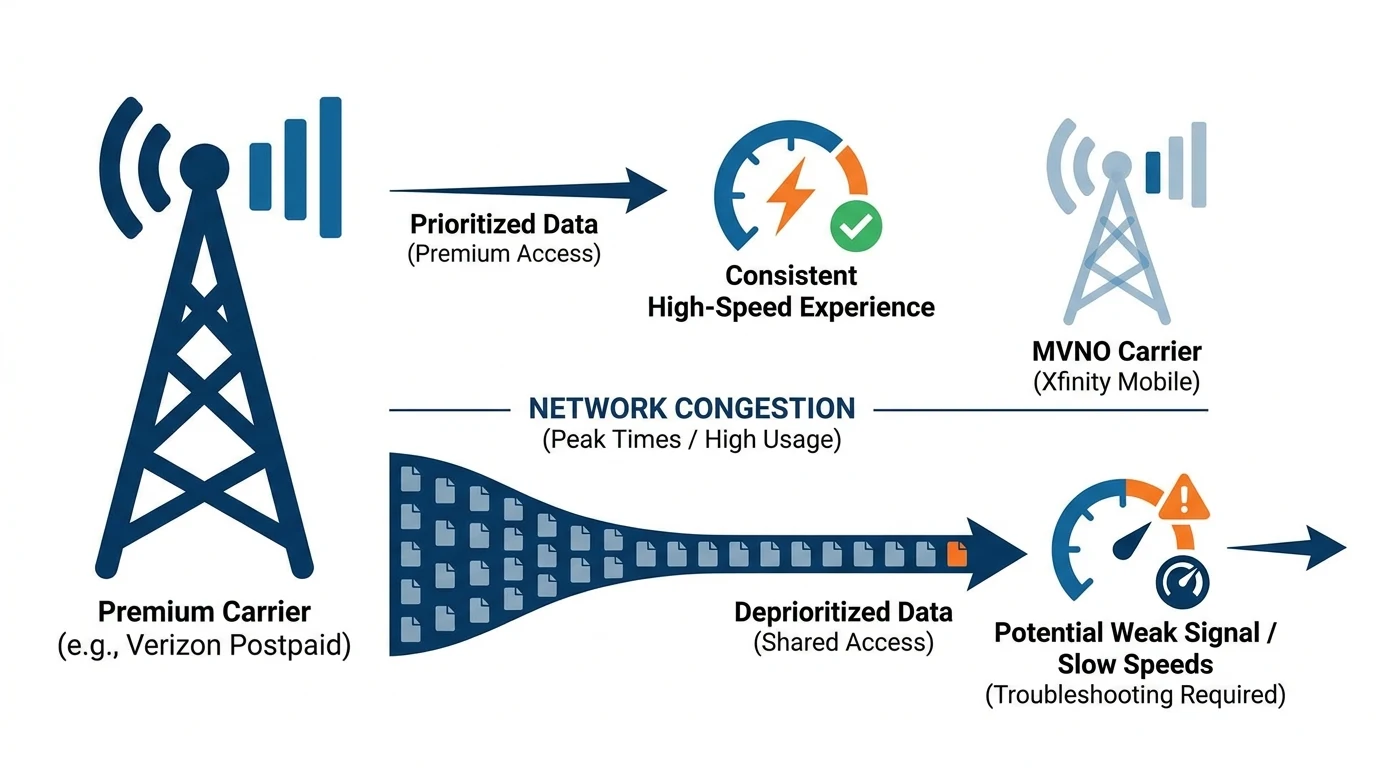
Xfinity Mobile operates on Verizon's network, providing nationwide coverage. However, as an MVNO, it may experience deprioritization during network congestion, leading to slower data speeds and weaker signals compared to Verizon postpaid users. This is particularly noticeable in high-traffic areas or during peak usage times.
Key Network Bands
Xfinity Mobile supports several Verizon bands, including LTE bands 2, 4, 5, 13, 48, and 66, and 5G bands 2, 5, 48, 66, 77-C, 260, and 261. Understanding which bands are dominant in your area can help optimize your device settings for better connectivity.
| Technology | Bands | Frequency Notes | Penetration/Use Case |
|---|---|---|---|
| 4G LTE | 2, 4, 5, 13, 48, 66 | Band 13 (700 MHz): Primary low-band rural coverage; Band 4/66 (1700/2100 AWS): Urban mid-band capacity; Band 48 (CBRS 3.5 GHz): Indoor/small cell. | Low bands (2/5/13) best for range/indoors. |
| 5G NR | 2, 5, 48, 66, 77-C, 260, 261 | n77-C (mid-band C-band ~3.7-4.2 GHz): High-speed urban; n260/n261 (mmWave 39/28 GHz): Dense areas, poor indoors; n66 (AWS mid-band). | Mid-band (n66/n48/n77) balances speed/coverage; mmWave limited utility indoors. |
For more on MVNO coverage, see Xfinity Mobile Reviews: Bundle Internet & Mobile.
Troubleshooting Steps
Check Device Settings
- Network Selection: Ensure your device is set to automatically select the best available network. Manually switching between 5G and LTE can sometimes improve connectivity.
- Airplane Mode Toggle: Turning airplane mode on and off can reset your connection to the network.
- Update Device Software: Ensure your device's operating system and carrier settings are up to date.
Enable WiFi Calling
WiFi calling can significantly improve call quality and reliability indoors. To enable WiFi calling:
- iPhone: Go to Settings > Phone > WiFi Calling.
- Android: Go to Settings > Network & Internet > WiFi Calling.
Ensure your address is updated in your Xfinity account for emergency services.
Understand Network Deprioritization
Xfinity Mobile users may experience slower speeds during network congestion due to deprioritization. This is common for MVNOs using major carrier networks. For more on MVNO prioritization, see Best MVNO: Dual SIM Verizon Work, Google Fi Personal.
FAQ
What is network deprioritization?
Network deprioritization occurs when MVNO users experience slower speeds during congestion because the network prioritizes traffic from its direct subscribers.
How can I check which network bands are available in my area?
You can use tools like the FCC Broadband Map or apps like CellMapper to identify active network bands in your location.
Disclaimer
This article provides general information and troubleshooting tips for Xfinity Mobile users experiencing weak signal and slow data issues. For specific plan details and the latest updates, please verify on the official Xfinity Mobile website or contact their support team.
Visual summary